


Adding Opening Balances for Cheques from the Cheque Cycle
The Cheque Cycle allows you to add opening balances through cheques, whether receivable cheques or payable cheques, directly from within the system. This helps ensure accurate balance setup when starting to use the system or when migrating data from another system.
Below are the detailed steps according to the system’s workflow.
Adding an Opening Balance for a Receivable Cheque
To add an opening balance for a receivable cheque, follow these steps:
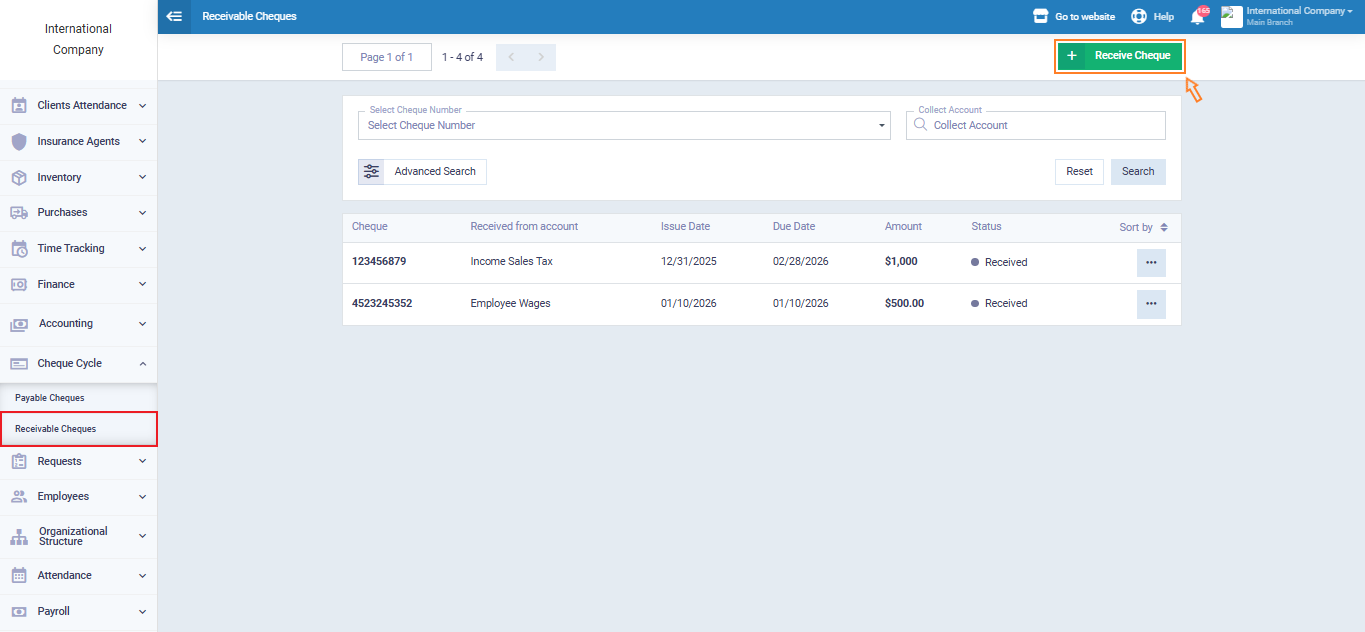
From the main menu, click on “Cheque Cycle“.
Select “Receivable Cheques“.
Click “Receive Cheque“.
Enter the Cheque Details
- Enter the cheque amount (for example: 1000).
- Set the issue date (this should be the date of adding the opening balances).
- In the “Received From” field, select “Opening Balance” instead of a client account. This ensures the amount is recorded as part of the opening balances.
- In the “Collect Account” field, select the bank account where the cheque will be collected.
- In the “Receivable Notes Account” field, select the “Notes Receivable” account.
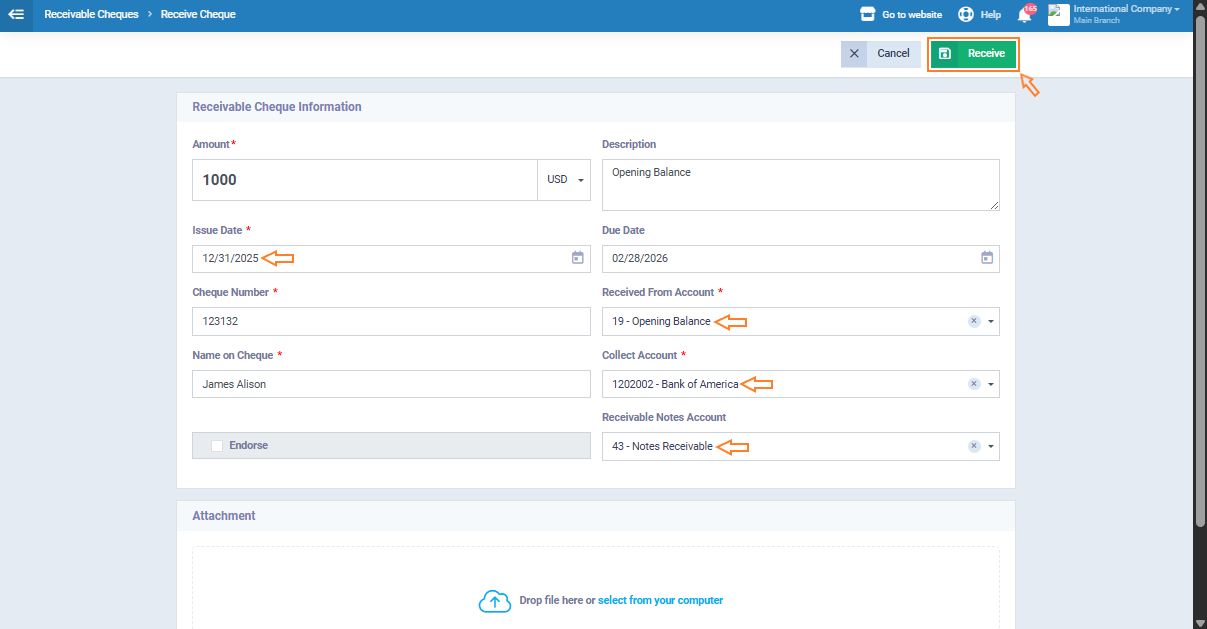
After completing all required fields, click “Receive” to save the cheque.
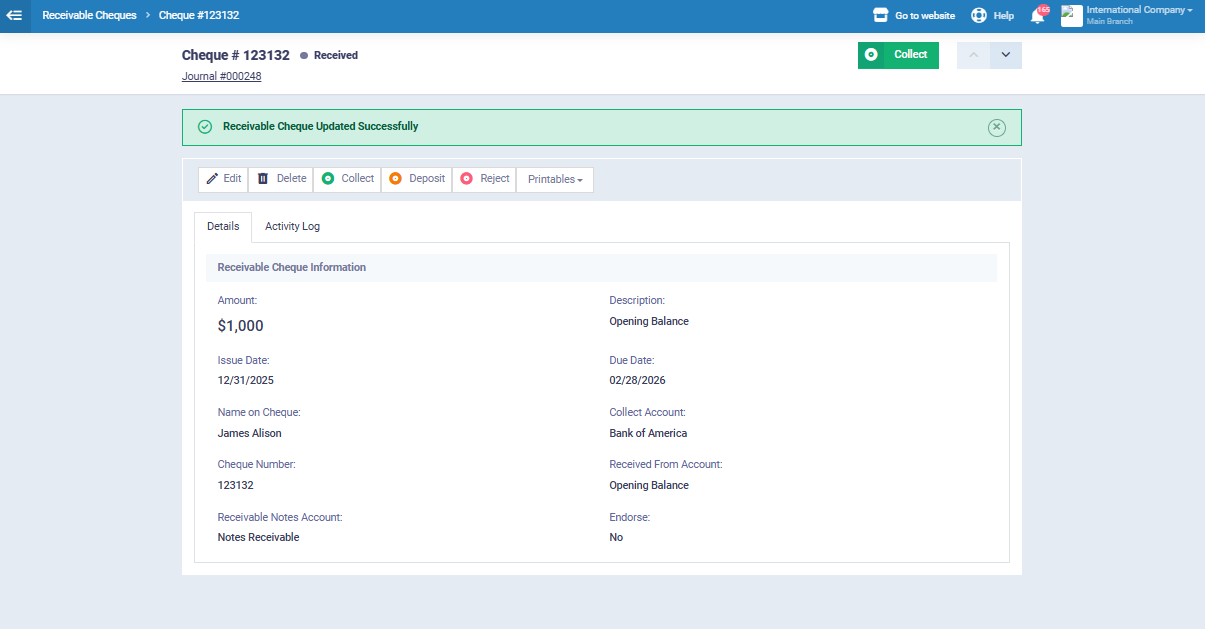
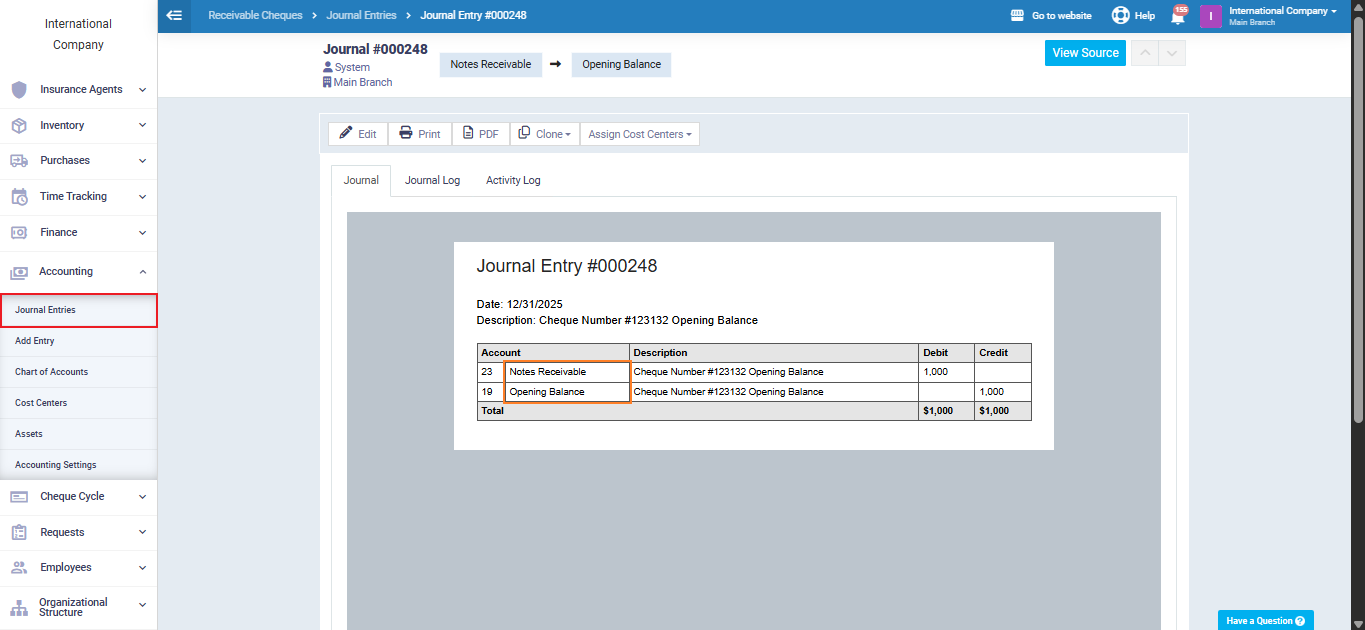
After saving the cheque, you can view the journal entry, where it will be recorded as follows:
- Debit: Notes Receivable Account
- Credit: Opening Balances Account
This confirms that the received cheque has been recorded correctly as an opening balance.
Adding an Opening Balance for a Payable Cheque
To add an opening balance for a payable cheque, follow the same steps mentioned above, with the following adjustments:
- In the “Notes Payable Account” field, select the appropriate payment account.
- In the “Received Account” field, select “Opening Balance“.
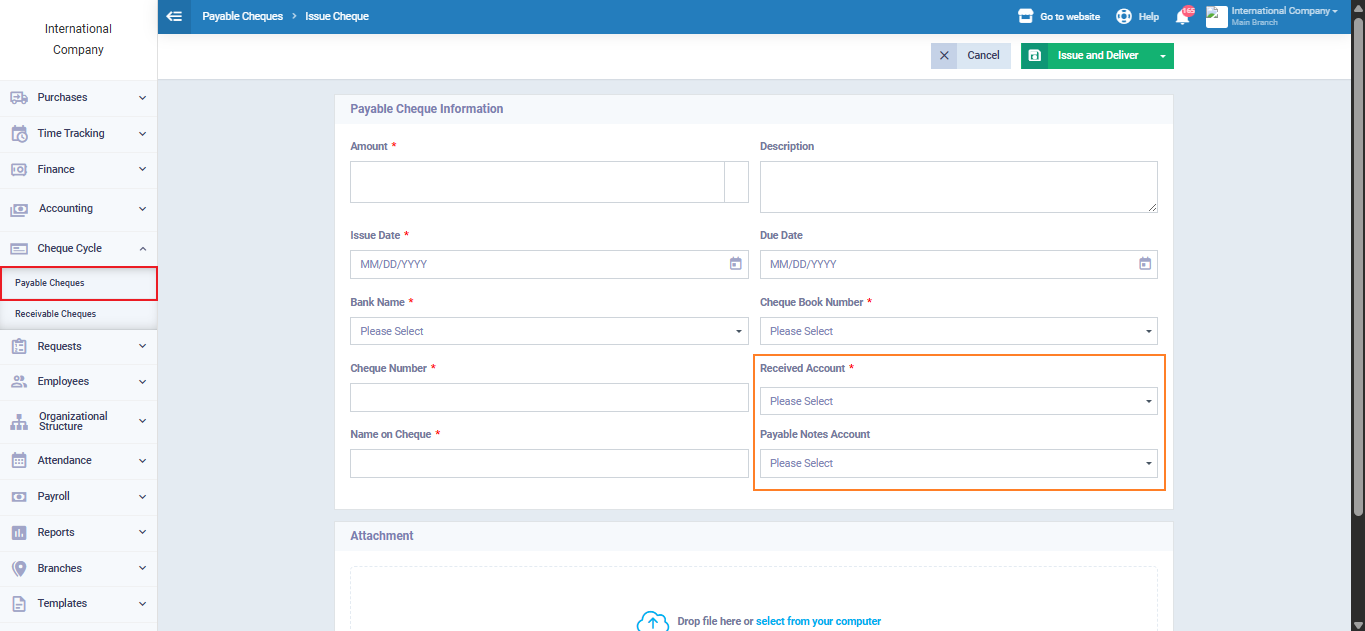
After entering the cheque details, click “Issue and Deliver” to approve the cheque and record it in the system.