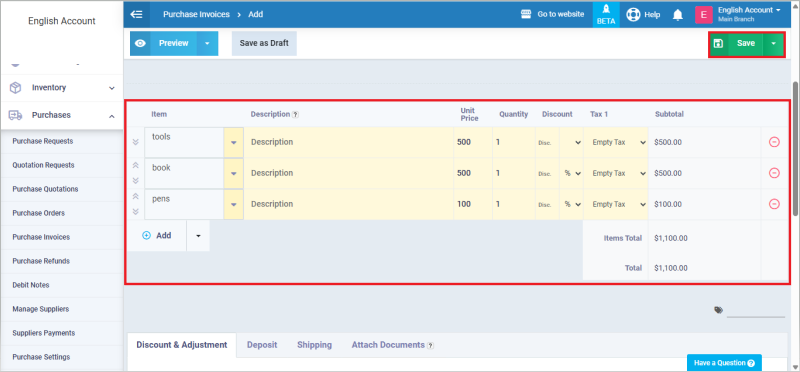
Importing Purchase Invoice Data from an Excel File
The system provides a quick and efficient way to import purchase invoice items directly from an Excel file instead of entering them manually. This helps you manage large numbers of items smoothly while reducing the chance of errors. The steps below explain how to prepare your Excel file and import it into a purchase invoice.
Preparing the Excel File
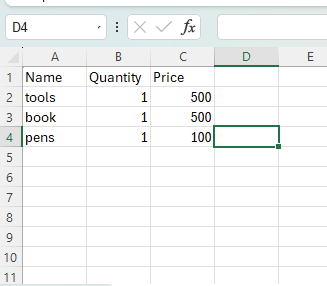
Start by creating an Excel file that includes the invoice items arranged in three columns:
- Product Name or Product Code
- Quantity
- Unit Price
Ensure that the product name in your Excel file exactly matches the product name registered in the system to avoid errors during import. After preparing the file, select and copy the data.
Paste the Data into the Invoice Screen
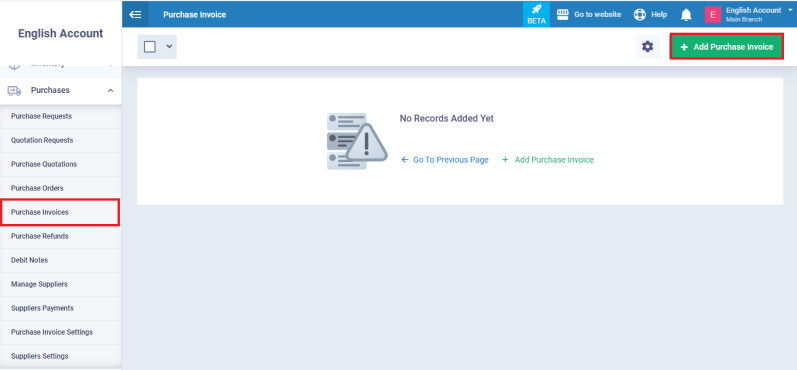
From the main menu, go to “Purchases”, then click “Purchase Invoices”, and choose “Add Purchase Invoice”.
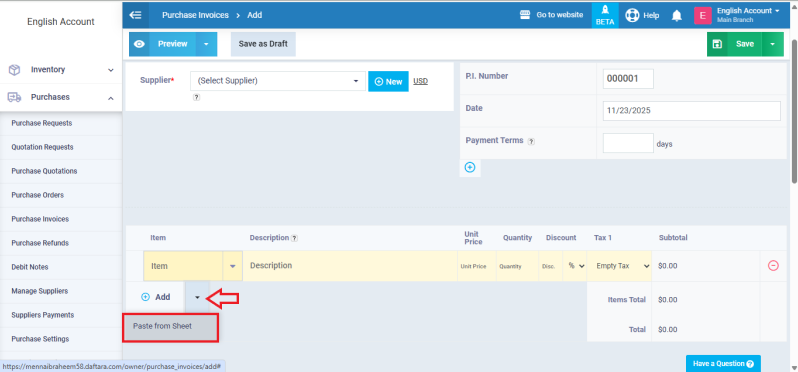
In the Items section, click the arrow next to the “Add” button and select “Paste from sheet”.
Import the Data
Paste the copied Excel data into the window that appears, then click “Import” to automatically load the items into the invoice.
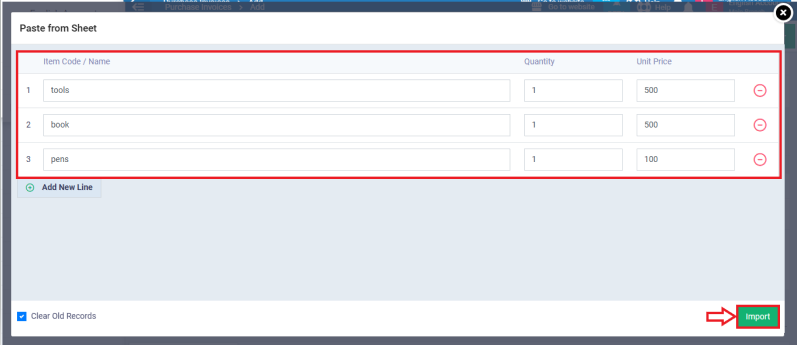
Once the items appear inside the invoice, review them to ensure accuracy, then click “Save” to complete the process.