


Requiring Cost Center Distribution on Manual Journal Entries
You can require users to distribute specific accounts to cost centers when they create or edit a manual journal entry, using the Require Cost Centers on Manual Journals option, so the entry isn’t saved until a cost center is set for those accounts. This tutorial explains how to turn on the requirement, choose the accounts, and what happens when the entry is saved.
Before you begin
- You have the Edit General Settings permission to open the settings page.
- You have cost centers added in Cost Centers to distribute the accounts to.
Steps to require cost center distribution on manual journals
First: turn on the requirement
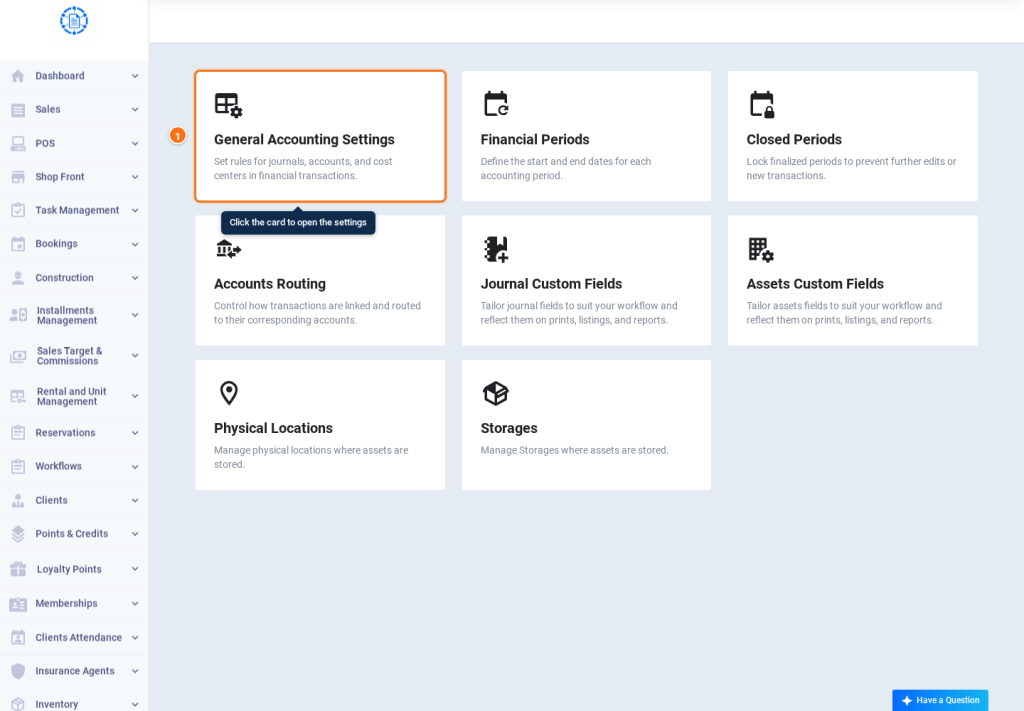
- Go to Accounting, click Accounting Settings, then click the General Accounting Settings card.
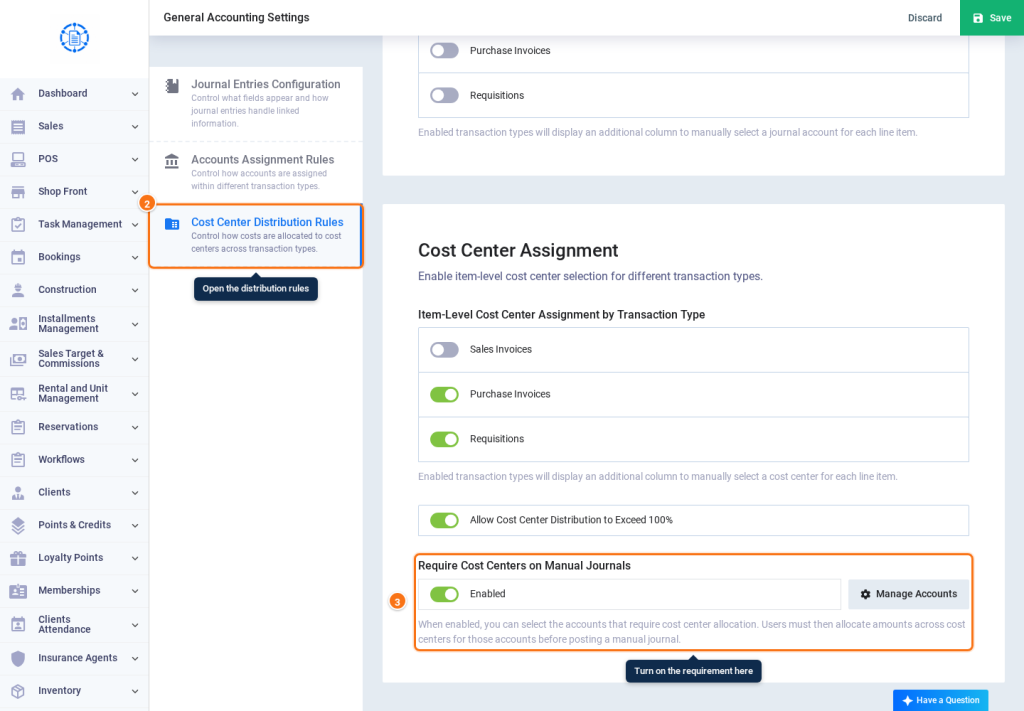
- From the side menu, choose Cost Center Distribution Rules.
- In the Cost Center Assignment section, turn on Require Cost Centers on Manual Journals. It is Disabled by default. Once turned on, it becomes Enabled and the Manage Accounts button becomes available.
Second: choose the accounts
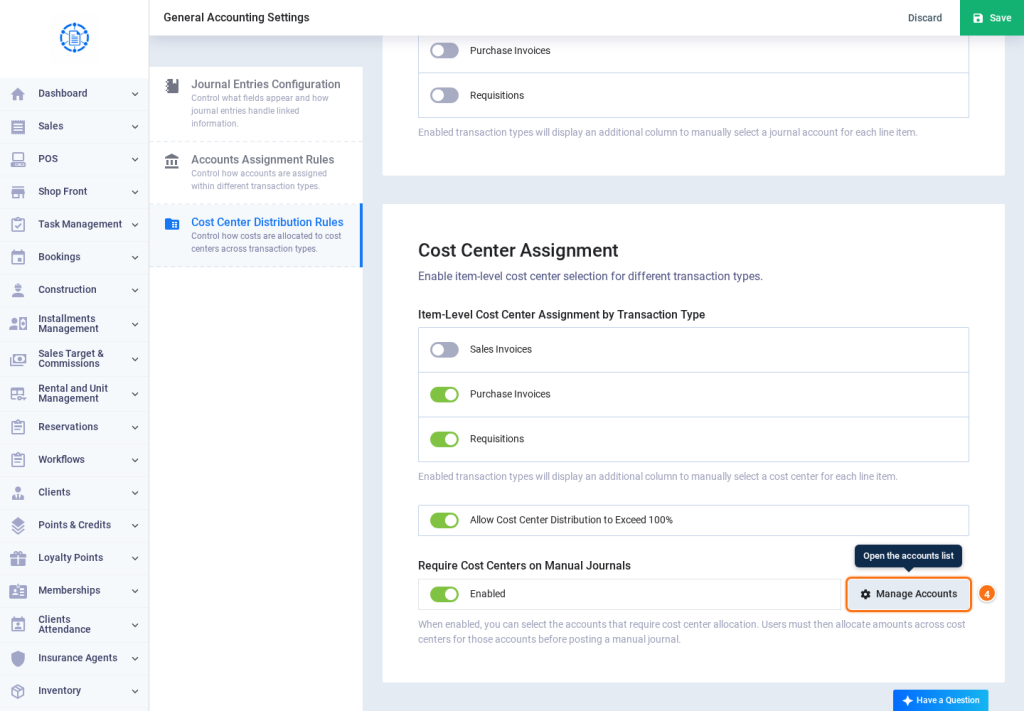
- Click Manage Accounts.
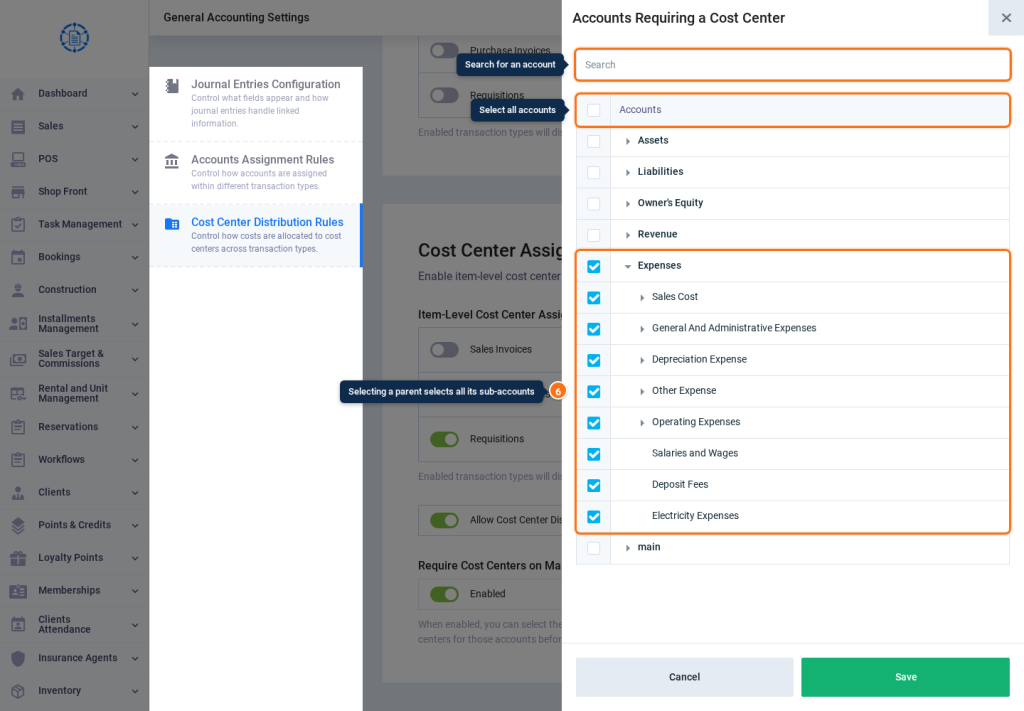
- The Accounts Requiring a Cost Center window opens with the Accounts tree.
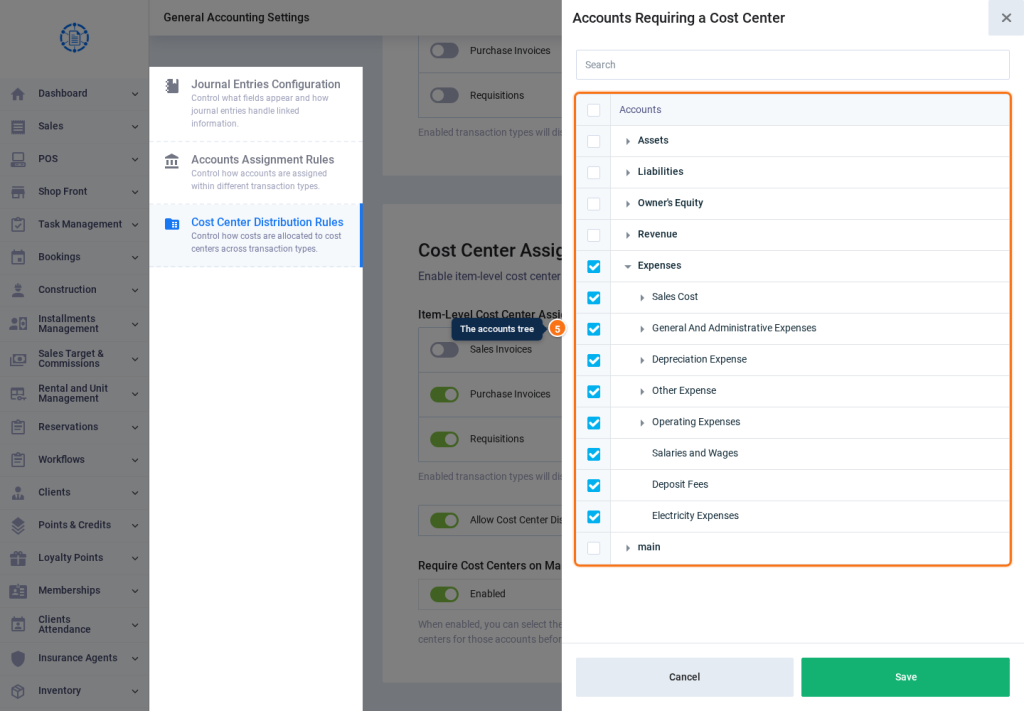
- Select the accounts you want to require distribution for:
- To select all accounts, tick the checkbox at the top of the Accounts column.
- When you select a parent account, all the sub-accounts under it are selected, including accounts added under it later.
- You can select specific sub-accounts only, and find an account using the Search box.
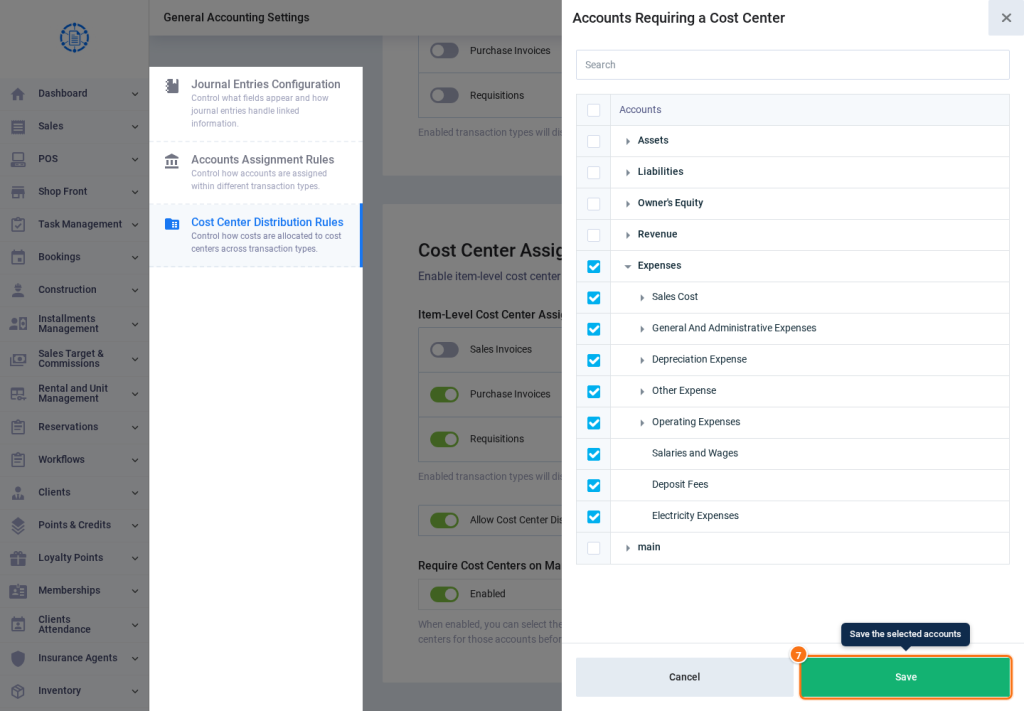
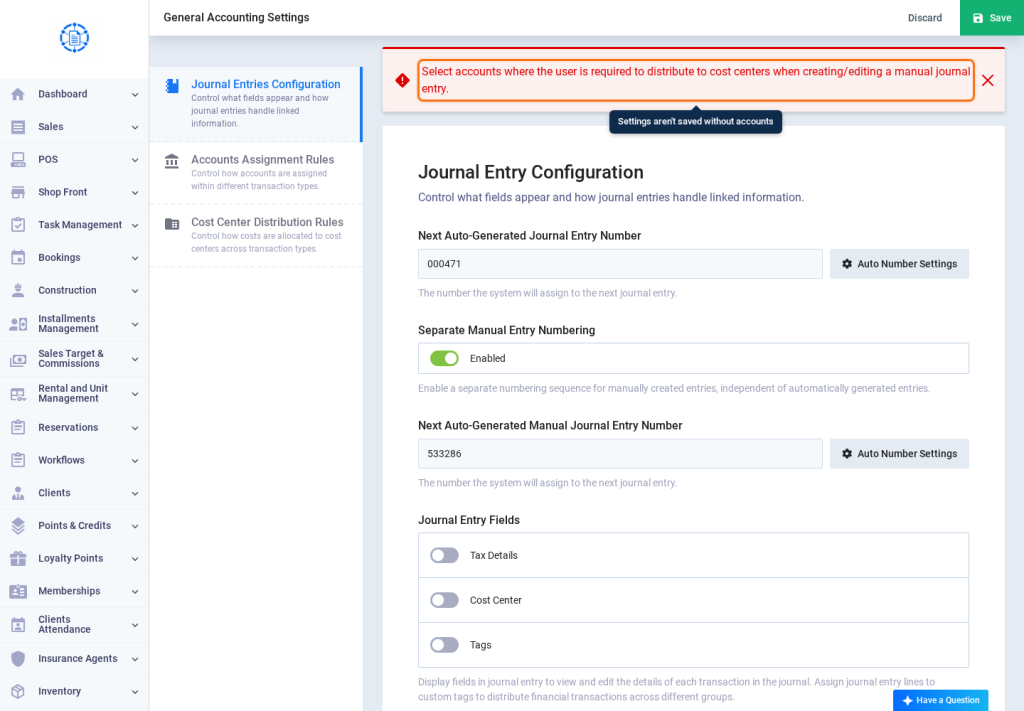
- Click Save in the window, then click Save on the settings page.
Third: the effect on manual journal entries
- When you add an entry from Add Journal or edit a manual entry that has one of the selected accounts without a Cost Center, the entry isn’t saved, and a message appears listing the missing accounts by name and code.
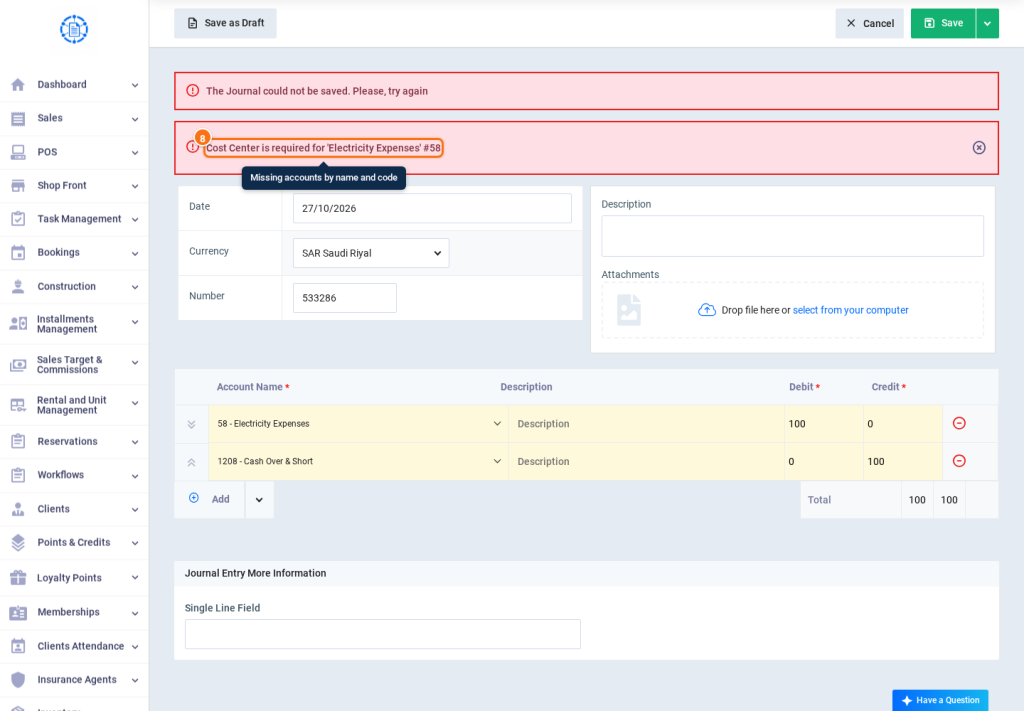
- Set the Cost Center for each of these accounts, or distribute it across more than one cost center, then save the entry.
Settings explained
| Setting | Default | What it does |
|---|---|---|
| Require Cost Centers on Manual Journals | Disabled | When turned on, the user must set a cost center for the selected accounts when creating or editing a manual journal entry. |
| Manage Accounts | Required when enabled | Available only when the requirement is turned on. It sets the accounts that require a cost center. |
| Turning off the requirement | Clears the accounts | When you turn it off and save the settings, the selected accounts are cleared, and you need to select them again if you turn it back on. |
FAQs
Does requiring cost center distribution affect automatically created entries?
No; it applies to manual journal entries only. Sales invoices, purchase invoices and requisitions are saved normally and their automatic entries are created, even if they use one of the selected accounts without a cost center.
Does selecting a parent account select its sub-accounts automatically?
Yes; all the sub-accounts under it are selected at every level, including accounts added under it later. If you clear a sub-account, the parent account is cleared and the rest of its sub-accounts stay selected.
Why isn't the manual journal entry saved?
Because it has one of the selected accounts without a cost center. The message shows the account’s name and code; set a cost center for it, then save the entry.
What permission do I need to change the setting?
The Edit General Settings permission.