How to Link a Payment Method to a Specific Treasury
The system offers more than 12 different payment methods that suit your different client segments, giving them conveniences and benefits that reflect on your business as a whole, not just on collecting payments. In this article, you’ll learn how to enable the payment methods you want to use, and how to set a treasury linked to each payment method.
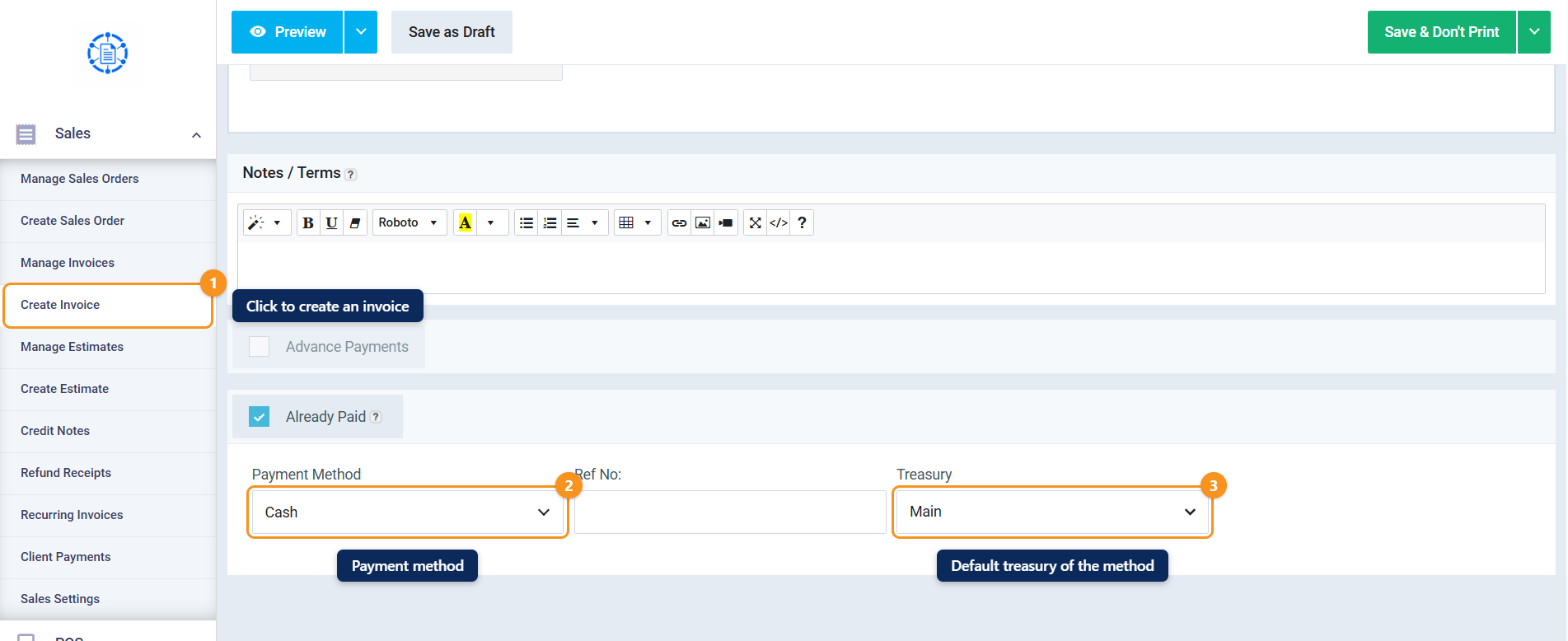
By default, when you record a payment for any invoice and choose the payment method, the payment methods are linked to the system’s default treasury. What if you want to link bank transfers to your bank account instead of this treasury? That’s what this article covers. But first, make sure you’ve added different payment methods and more than one treasury to your account. To add a new bank account as a treasury, see the Adding a bank account guide.
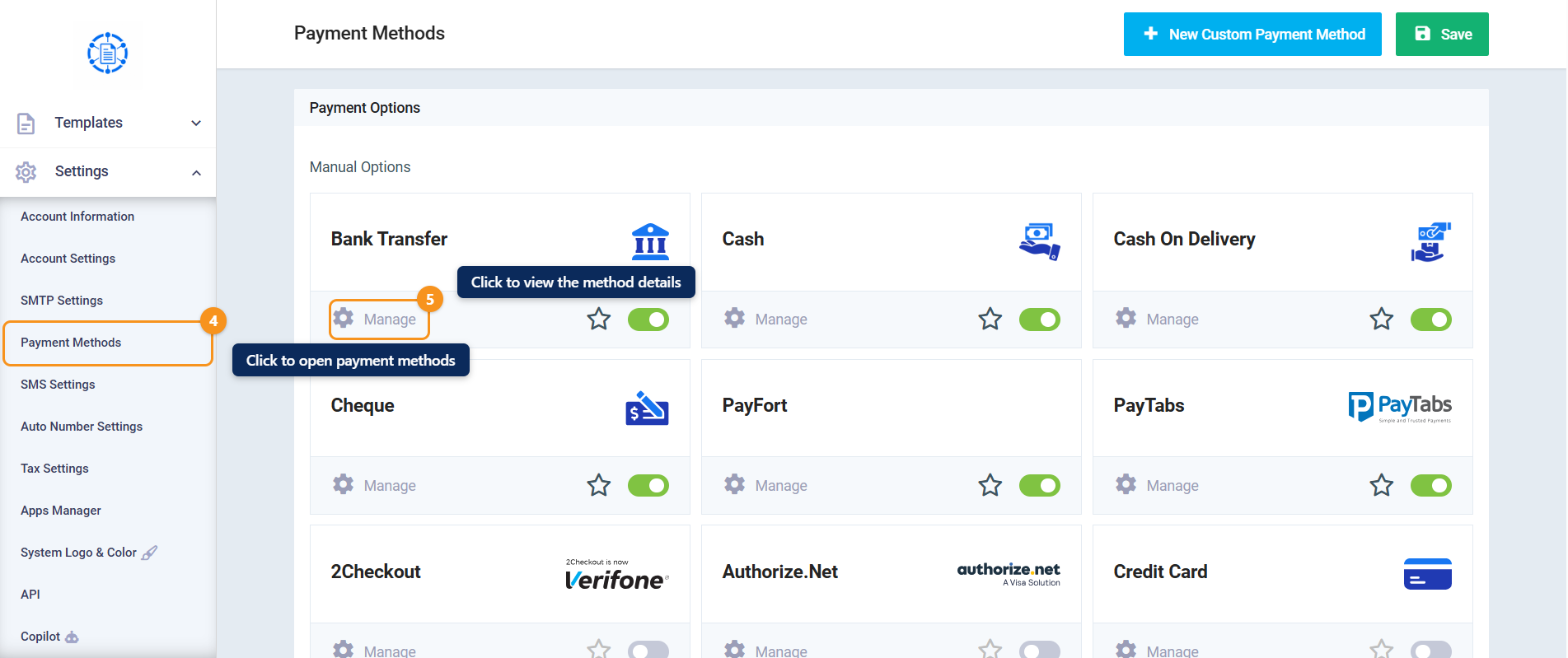
To add a new payment method, or if you want to link a payment method to a specific bank account, go to “Payment Methods“ under “Settings”, where you’ll find a list of all the available payment methods, in addition to the option to add other payment methods with “New Custom Payment Method”.
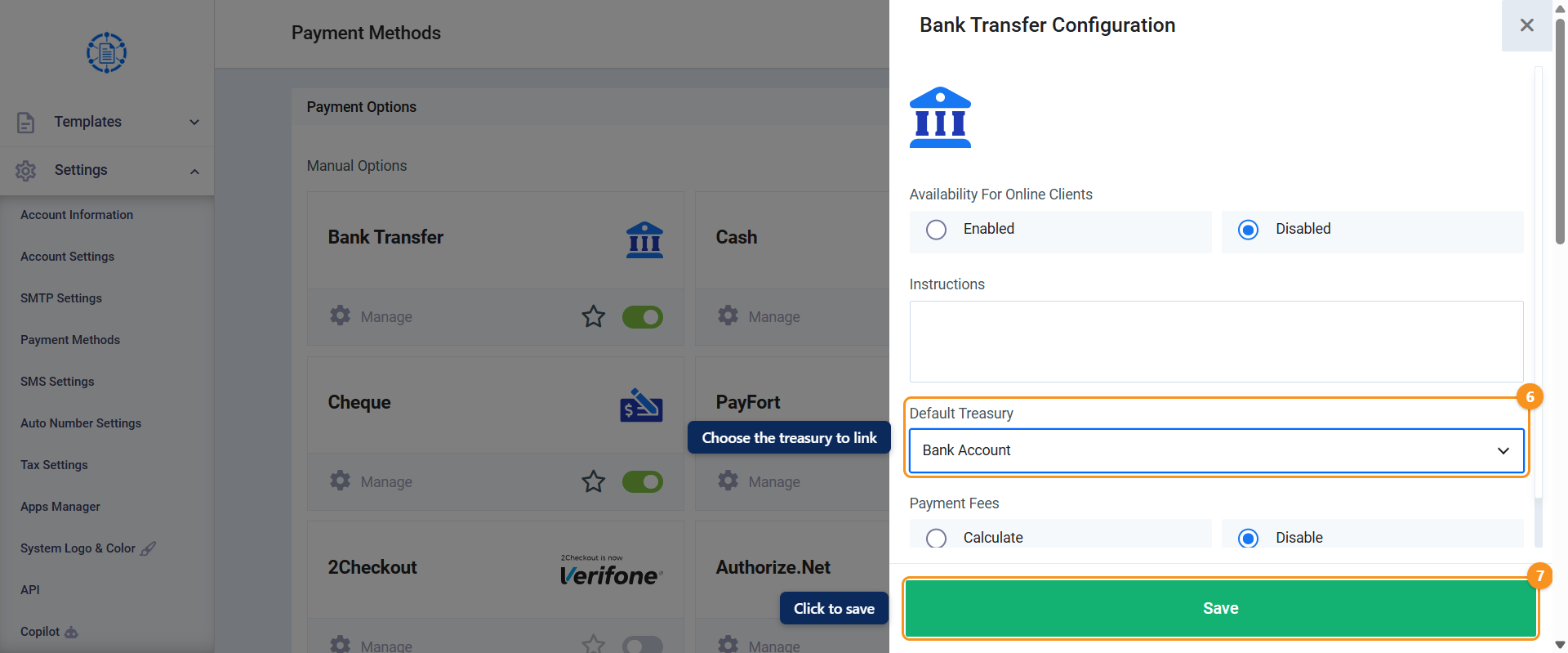
Click “Manage” to view the details of the payment method you want:
- You can choose a treasury from the treasuries defined in your system to link the payment method to it.
- You can activate or deactivate the payment method at any time.
- If you make this payment method the default method, it appears automatically in every payment.
Click “Manage” on the payment method whose linked treasury you want to change to view its details:
Open the “Default Treasury” list and choose the treasury to link to the bank transfer method, such as your bank account. Then click “Save”
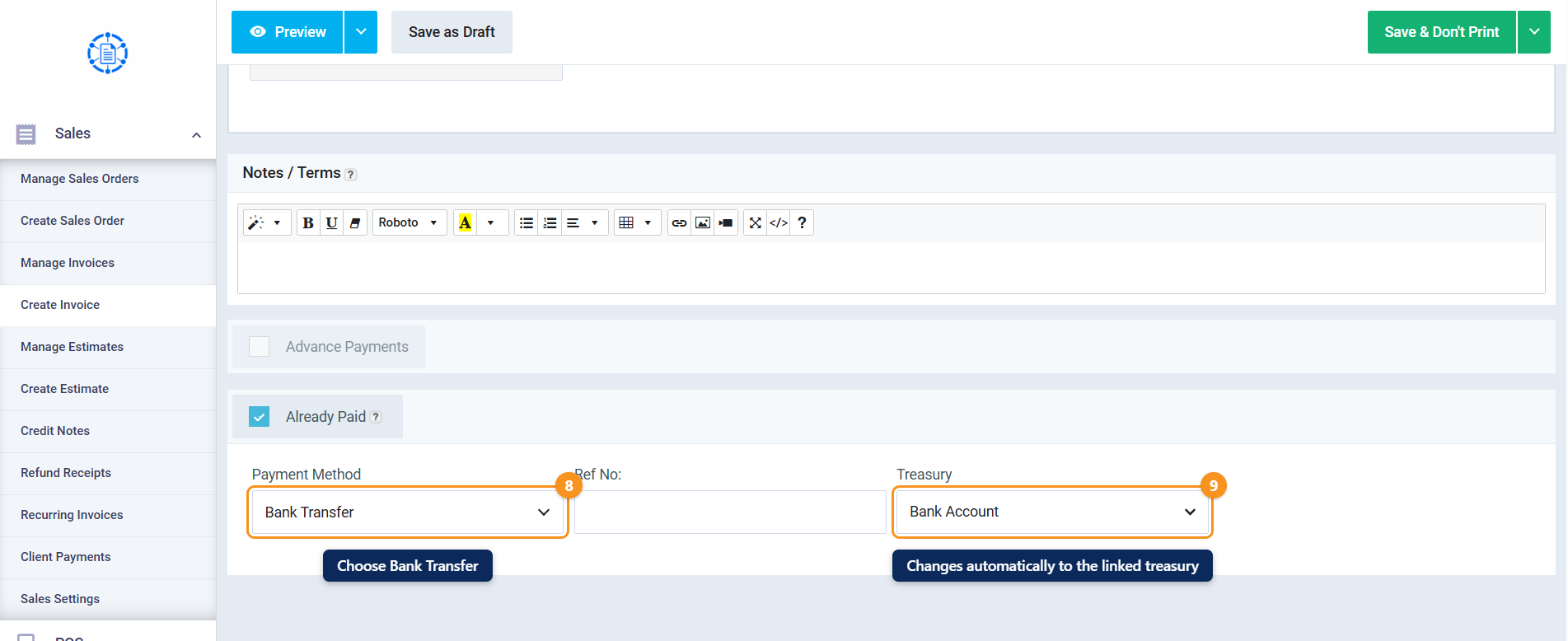
Go back to Create Invoice, record the client’s payment for the invoice, and choose the “Bank Transfer” payment method that you linked to the “Bank Account” treasury. You’ll find that the Treasury field changed automatically to the bank account linked to the payment method.
Note: This link only sets the default treasury for the payment method. You can choose another treasury when recording each payment, if you have more than one treasury or bank account. If you have only one treasury, the option doesn’t appear, and the payment is recorded on it automatically.