




Guide to Reviewing a Whole List’s Documents Without Opening Each Record
In this tutorial, you review the documents of a whole list, such as expense receipts or invoice attachments, from the media gallery and the media library without opening each record separately: you narrow down the records with filters, move between their attachments, then download what you need.
Before you begin
- You need permission to view the records in the list you’re reviewing.
- The Attachments column appears on computer screens and doesn’t appear on small screens.
Selecting the records you need
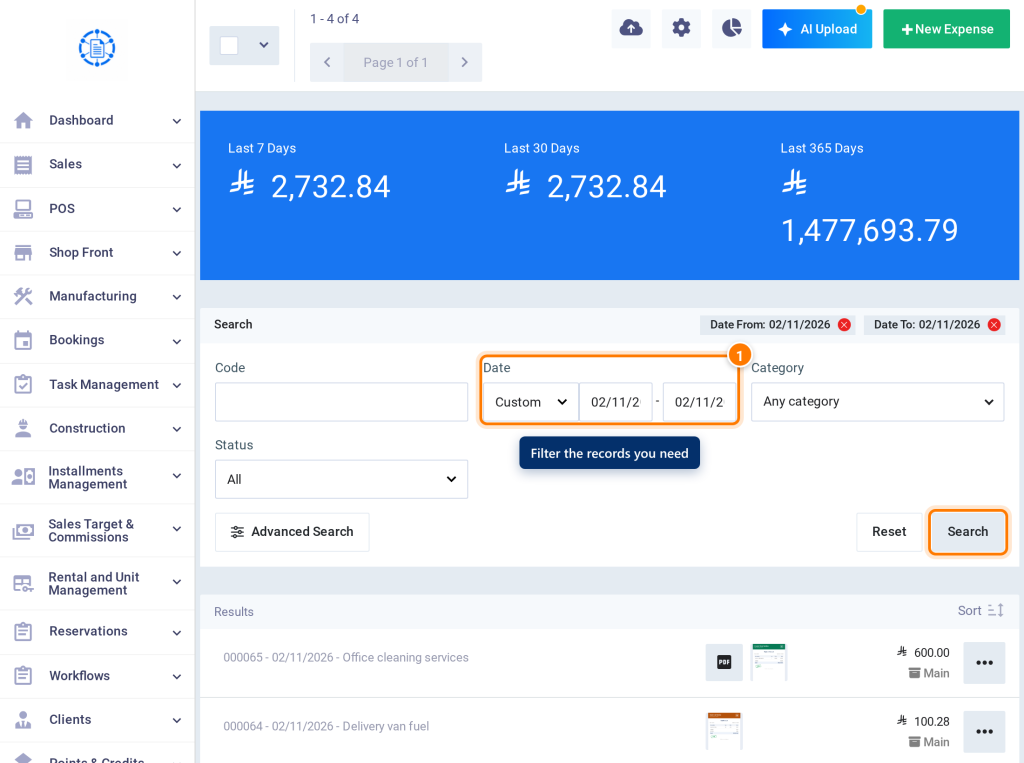
- Open the list whose documents you want to review, such as Expenses, and apply search and filters to show only the records you need, such as the expenses of a specific month.
Previewing attachments in the gallery
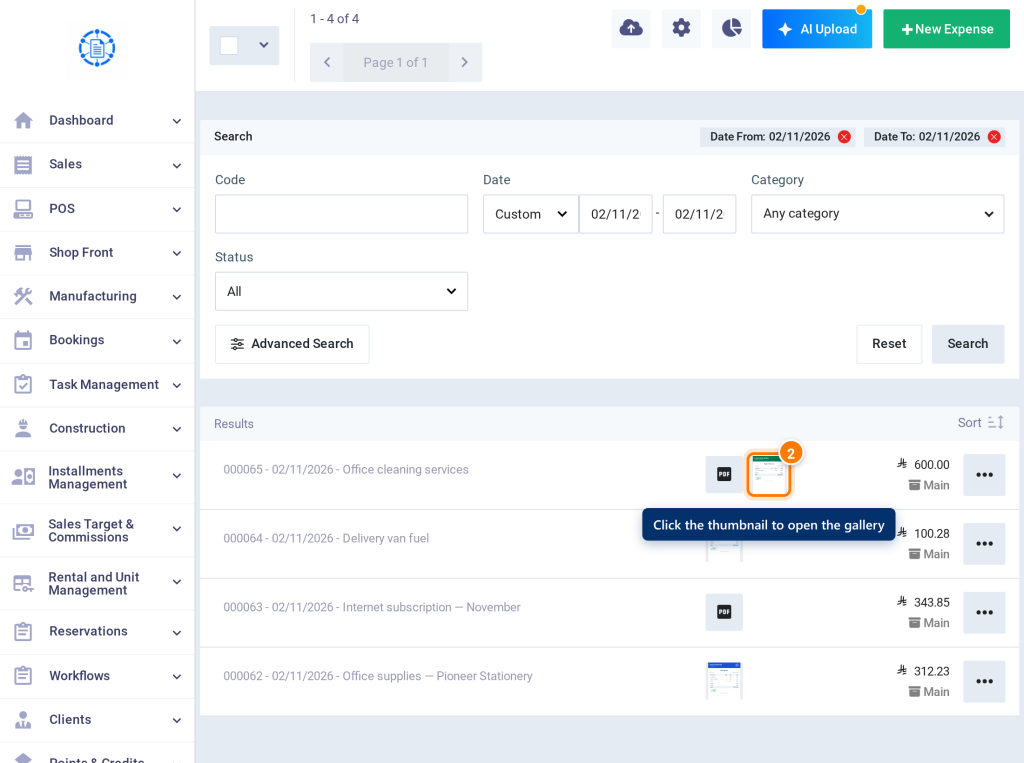
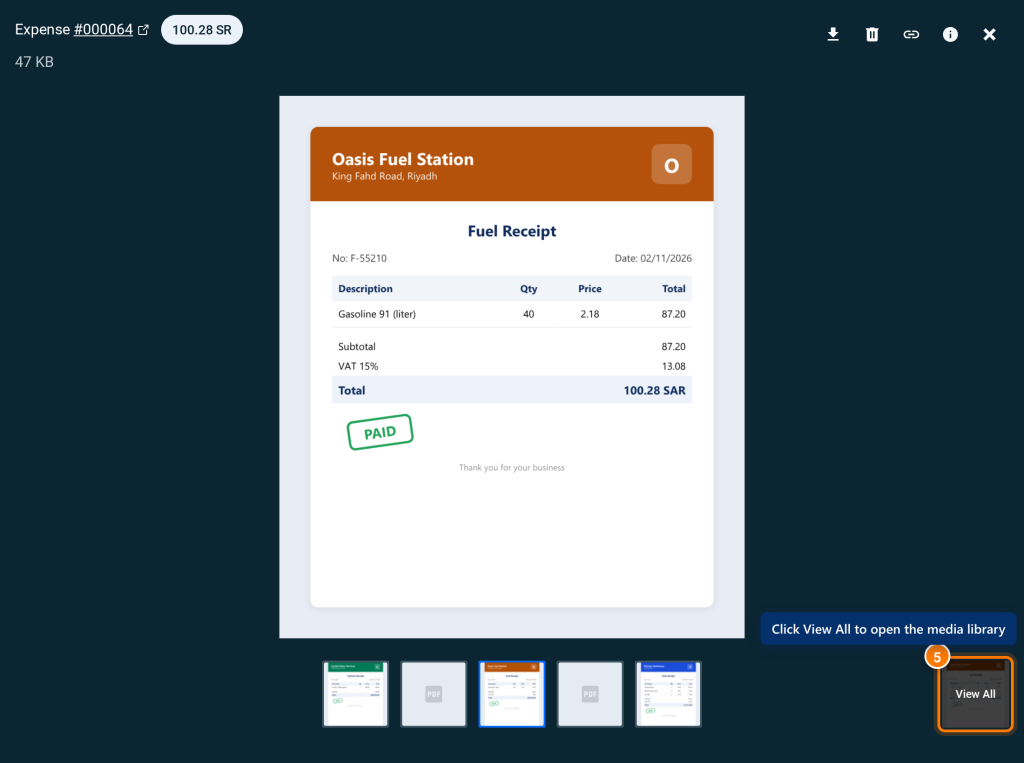
- Click the attachment thumbnail in the Attachments column of the first record. The media gallery opens on this file.
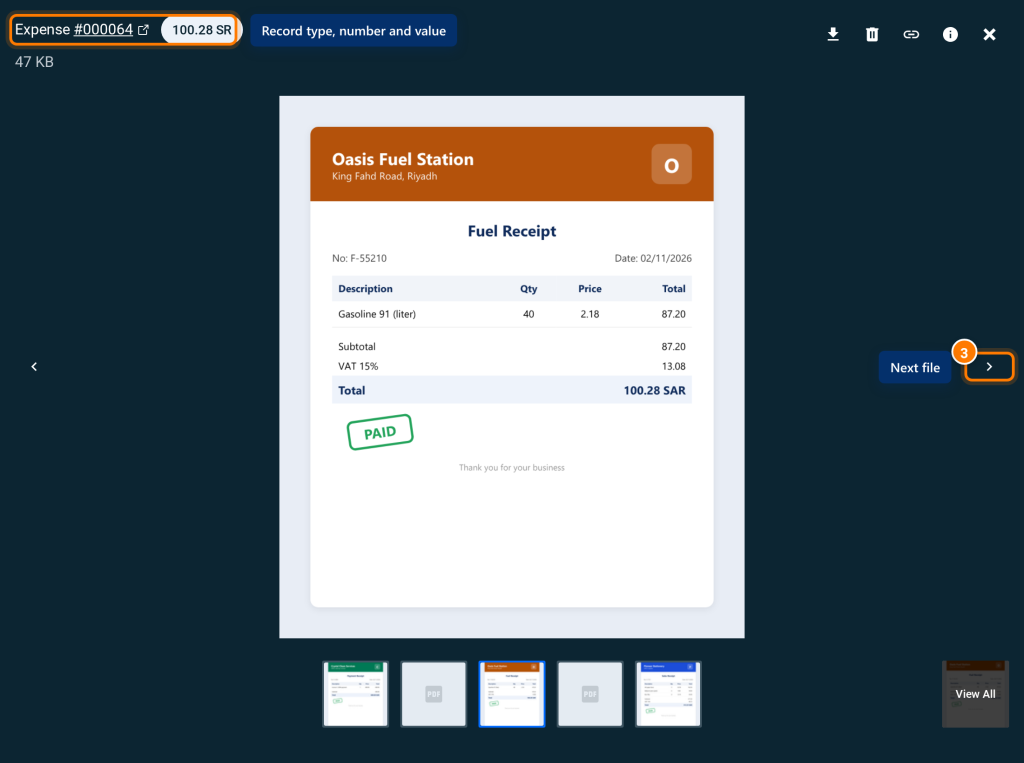
- Move between files with the Next file arrow or the → key. The record type, number, and value of each file appear at the top of the screen.
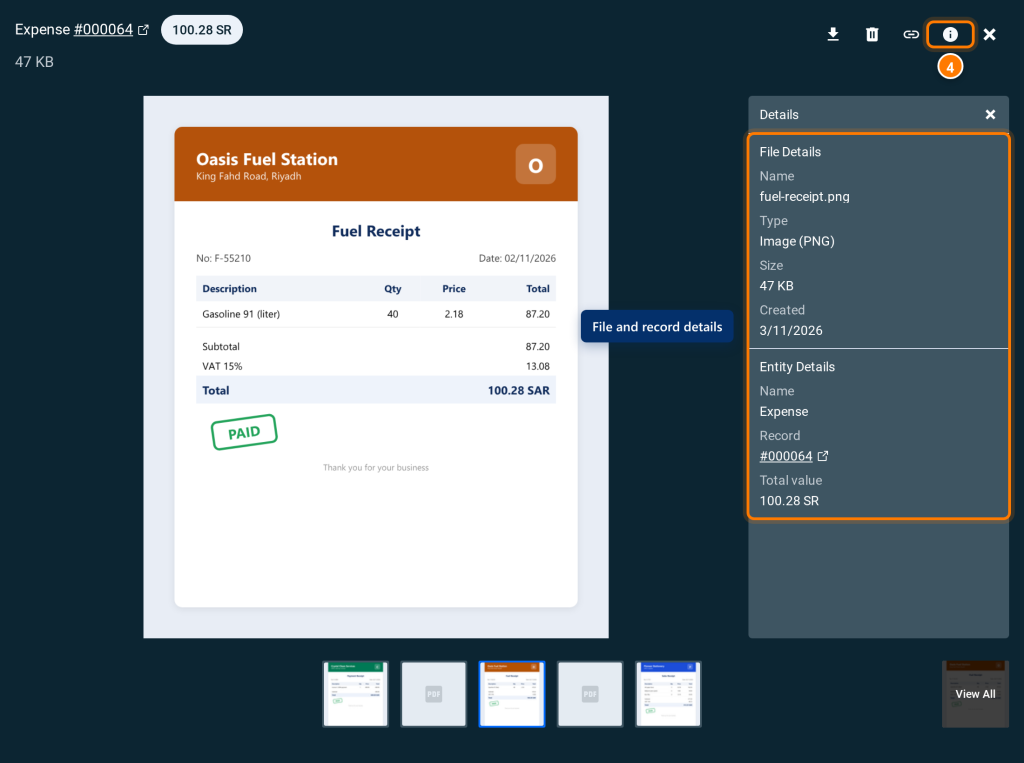
- To view the file data, click the File details icon. The Details panel appears with the file details and the record link.
Viewing all attachments in the media library
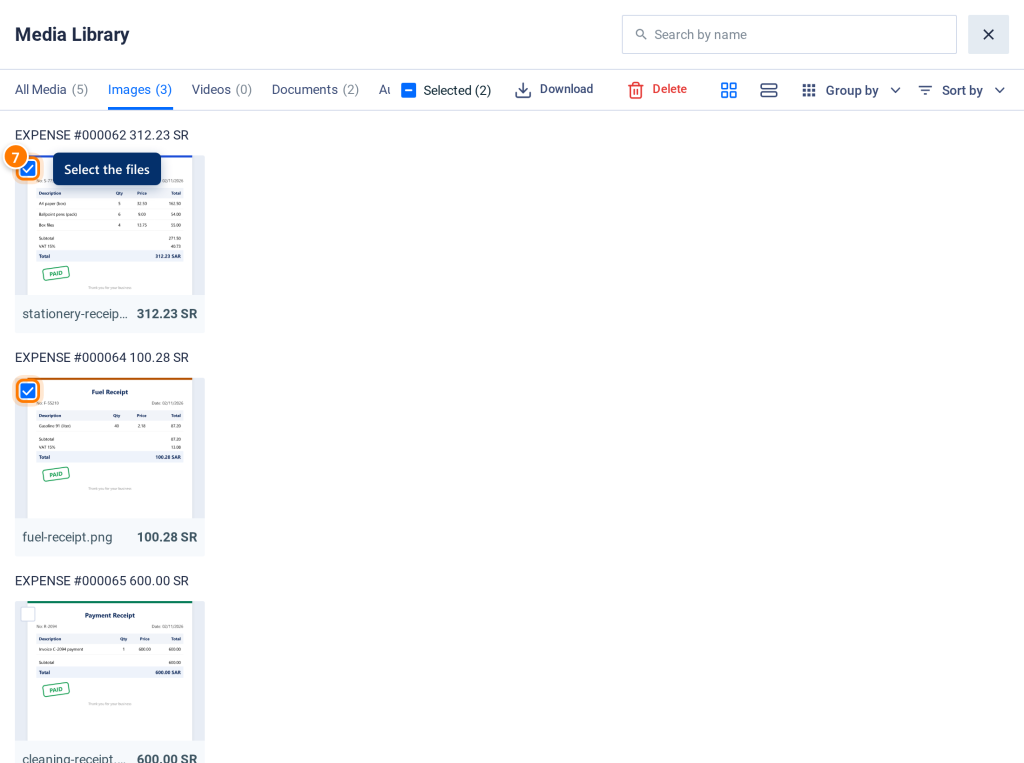
- Click View All at the bottom of the gallery. The media library opens with the attachments of all records, grouped by record.
- To show a specific type only, click the type, such as Images or Documents. To find a record or file, type the record number or file name in the Search by name box.

Downloading the documents you need
- Hover over a file card, click the checkbox, then select the other files.
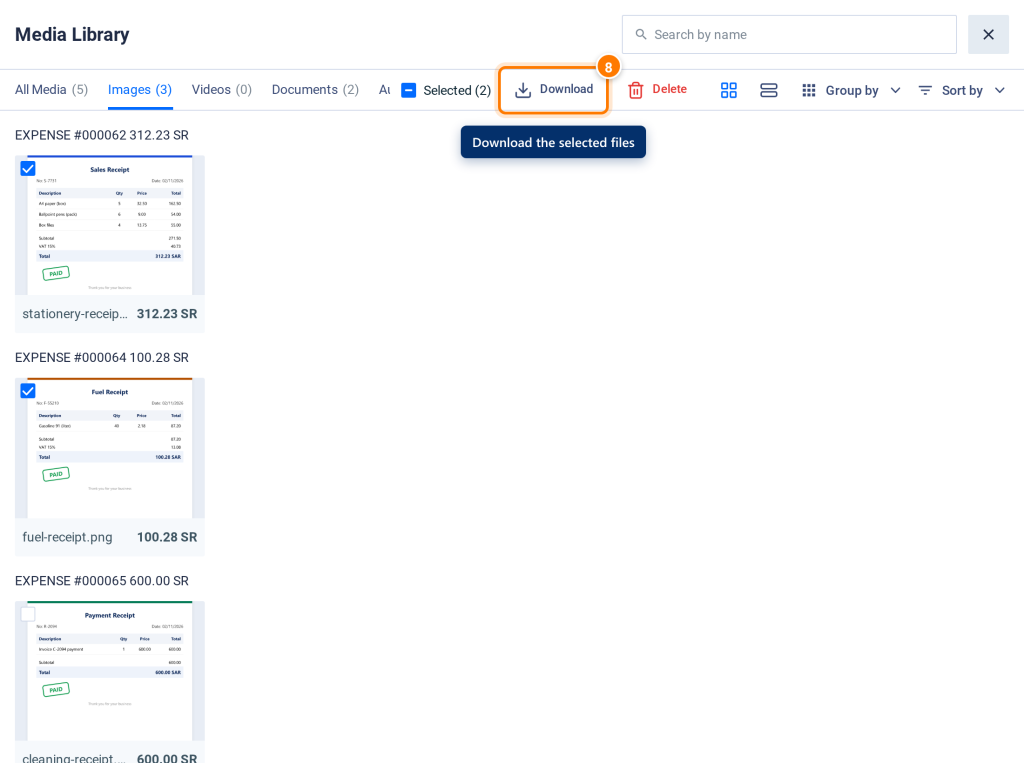
- Click Download in the top bar. The message Download started appears.
FAQs
Why don't I see some records' attachments during the review?
Because the gallery and the library show the attachments of the records shown according to the current filters only. Change the filters, then open the gallery again.
Can I review using the keyboard only?
Yes. Use → and ← to navigate, I for file details, Ctrl + S to download, and Esc to close.
Can I preview Word and Excel files in the gallery?
No. They show the message Preview not available — click Download to view. Download the file to open it.