


Generating and Exporting Tax Audit Files
The system provides a dedicated section for generating and exporting UAE Tax Audit Files in the FAF format approved by the Federal Tax Authority (FTA). This section includes two separate reports: the “VAT Audit File” and the “Excise Tax Audit File“. This guide explains how to access the section, generate each file, and export it.
Before You Start
Make sure the following requirements are completed before generating Tax Audit Files:
- The account country is set to United Arab Emirates.
- The “UAE E-Invoice” app is activated.
- Tax transactions exist in the system during the required period.
- You have permission to access “Tax Audit Reports“.
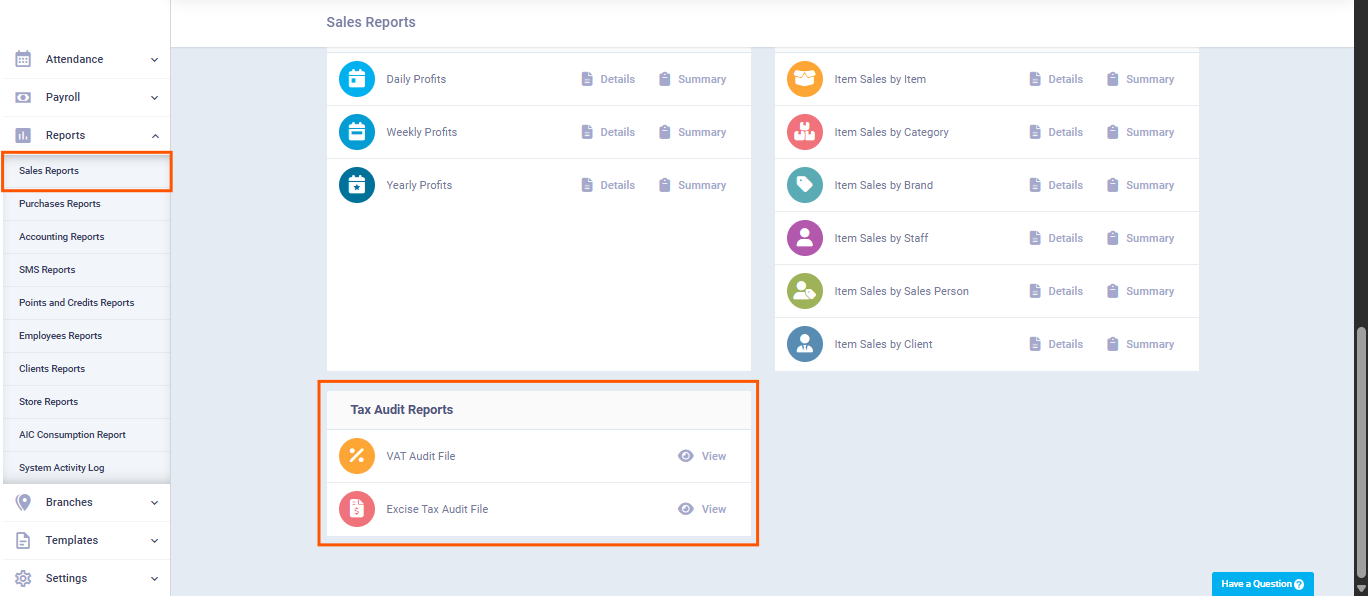
Accessing the Tax Audit Report Section
- From the main menu, click “Reports“.
- Go to “Sales Report“.
- Open the “Tax Audit Reports” section.
You will find the following reports:
- VAT Audit File
- Excise Tax Audit File
First: Generate the VAT Audit File
- Click “VAT Audit File“.
- Select the “Start date” for the required period.
- Select the “End date” for the required period.
- Click “View Report“.
- Click “Download FAF File” to generate and download the “VAT FAF file” to your device.

Second: Generate the Excise Tax Audit File
- Click “Excise Tax Audit File“.
- Select the “Start date” for the required period.
- Select the “End date” for the required period.
- Click “Show Report“.
- The system automatically generates and downloads the “Excise Tax FAF” file to your device.

Difference Between The Two Files
| Item | VAT Audit File | Excise Tax Audit File |
|---|---|---|
| Included Data | VAT transactions only | Excise transactions and stock movements |
| Stock Movement Table | Not Included | Included automatically |
| Counterparty Data | Customer and supplier data | Warehouse and excise product data |
| Usage | VAT periodic tax filing | Excise Tax periodic filing |